Intro Slide Templates
Intro slide Templates are used to create the first slide of a presentation. This slide is used to introduce the title and subtitle of the presentation. The Slide Templates blow also allow to add a logos to the slide.
Minimal Intro Slide
Example: MyIntroSlide 
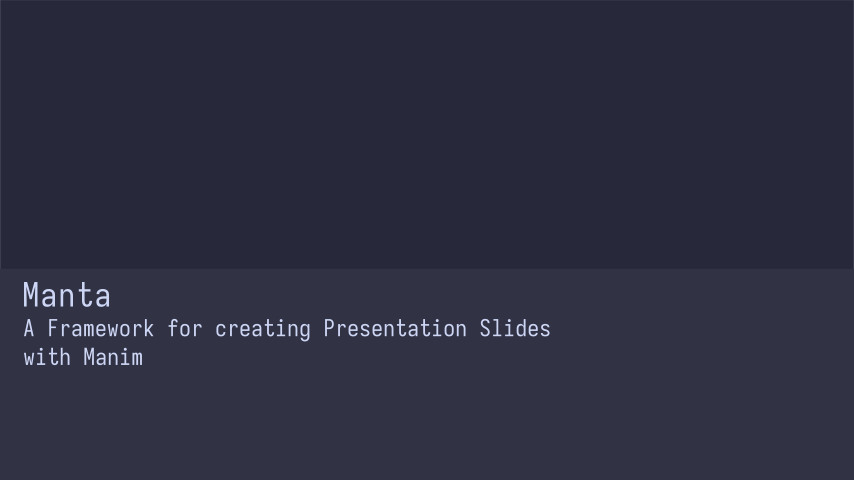
Code: MyIntroSlide
from manta.slide_templates.minimal.minimal_intro_slide import MinimalIntroSlide

class MyIntroSlide(MinimalIntroSlide):

    title = "Manta "
    subtitle = "A Framework for creating Presentation Slides \n with Manim"

    def construct(self):
        self.play(
            self.fade_in_slide()
        )

if __name__ == '__main__':
    MyIntroSlide.show_last_frame()
Minimal Intro Slide with Images
Example: MyIntroSlideWithImages 
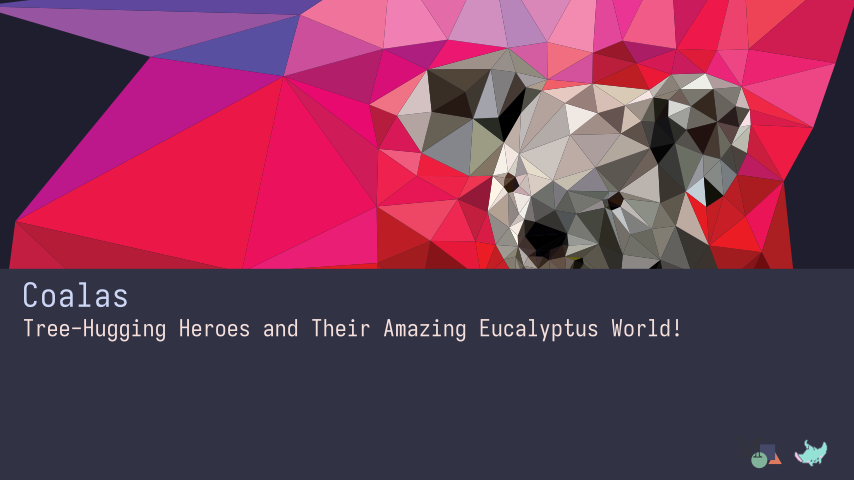
Code: MyIntroSlideWithImages
import manim as m

from manta.color_theme.catppucin.catppuccin_mocha import CatppuccinMochaTheme
from manta.slide_templates.minimal.minimal_intro_slide import MinimalIntroSlide

import manta.docbuild.image_path_utils as paths

class MyIntroSlideWithImages(MinimalIntroSlide):

    title = "Coalas"
    subtitle = "Tree-Hugging Heroes and Their Amazing Eucalyptus World!"
    subtitle_color = CatppuccinMochaTheme.rosewater

    # replace 'paths.get_coala_background_abs_path()' with a string path to a background image
    # this can be a relative path or an absolute path
    background_picture = paths.get_coala_background_abs_path()
    background_shift = m.UP * 0.75  # shift the background a bit up
    background_scale = 1.05  # make the background a bit bigger

    logo_paths = [
        # feel free to replace these paths with your own logo paths
        # if your logos is called 'my_logo.svg' and is located in the same directory as this file, you can use
        # 'my_logo.svg' as the path
        paths.get_manim_logo_abs_path(),
        paths.get_manta_logo_abs_path()
    ]

    def construct(self):
        self.play(
            self.fade_in_slide()
        )

if __name__ == '__main__':
    MyIntroSlideWithImages.show_last_frame()
Minimal Intro Slide with Images and Light Theme
Example: MyIntroSlideWithImages 
Code: MyIntroSlideWithImages
import manim as m

from manta.color_theme.catppucin.catppuccin_latte import CatppuccinLatteTheme
from manta.slide_templates.minimal.minimal_intro_slide import MinimalIntroSlide

import manta.docbuild.image_path_utils as paths

class MyIntroSlideWithImages(CatppuccinLatteTheme, MinimalIntroSlide):
    # replace 'paths.get_coala_background_abs_path()' with a string path to a background image
    # this can be a relative path or an absolute path
    background_picture = paths.get_coala_background_abs_path()
    background_shift = m.UP * 0.75  # shift the background a bit up
    background_scale = 1.05  # make the background a bit bigger

    logo_paths = [
        # feel free to replace these paths with your own logo paths
        # if your logos is called 'my_logo.svg' and is located in the same directory as this file, you can use
        # 'my_logo.svg' as the path
        paths.get_manim_logo_abs_path(),
        paths.get_manta_logo_abs_path()
    ]

    title = "Coalas"
    subtitle = "Tree-Hugging Heroes and Their Amazing Eucalyptus World!"
    subtitle_color = CatppuccinLatteTheme.rosewater

    def construct(self):
        self.play(
            self.fade_in_slide()
        )

        self.wait(2)

        # an alternative to self.fade_out_scene()
        # instead of fading out the scene, we can just play the overlay scene with a rectangle with a fill_color that
        # matches the background color of the scene
        self.play(self.overlay_scene())


if __name__ == '__main__':
    MyIntroSlideWithImages.render_video_medium()
Classic Intro Slide with Images and Light Theme
Example: MyClassicIntroSlideWithImagesLightTheme 
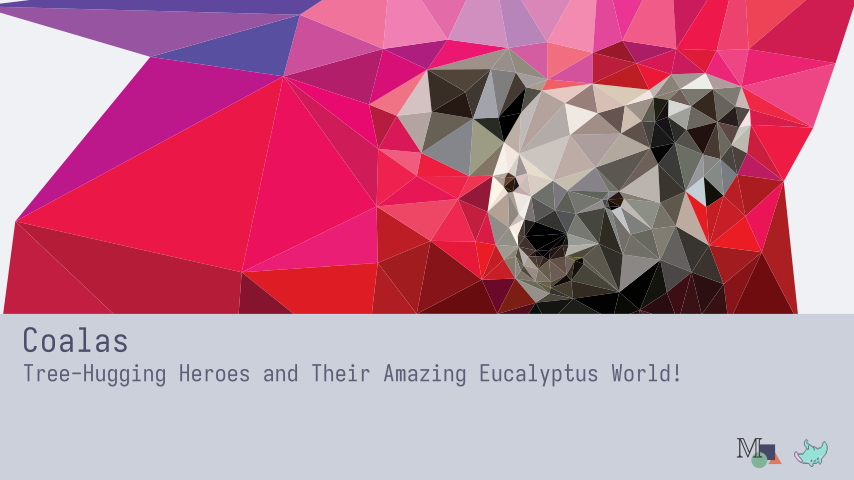
Code: MyClassicIntroSlideWithImagesLightTheme
import manim as m

from manta.color_theme.catppucin.catppuccin_latte import CatppuccinLatteTheme

import manta.docbuild.image_path_utils as paths
from manta.slide_templates.classic.classic_intro_slide import ClassicIntroSlide


class MyClassicIntroSlideWithImagesLightTheme(CatppuccinLatteTheme, ClassicIntroSlide):
    # replace 'paths.get_coala_background_abs_path()' with a string path to a background image
    # this can be a relative path or an absolute path
    background_picture = paths.get_coala_background_abs_path()
    background_shift = m.UP * 0.75  # shift the background a bit up
    background_scale = 1.05  # make the background a bit bigger

    logo_paths = [
        # feel free to replace these paths with your own logo paths
        # if your logos is called 'my_logo.svg' and is located in the same directory as this file, you can use
        # 'my_logo.svg' as the path
        paths.get_manim_logo_abs_path(),
        paths.get_manta_logo_abs_path()
    ]

    title = "Coalas"
    subtitle = "Tree-Hugging Heroes and Their Amazing Eucalyptus World!"
    subtitle_color = CatppuccinLatteTheme.font_color_secondary

    def construct(self):
        self.play(
            self.fade_in_slide()
        )


if __name__ == '__main__':
    MyClassicIntroSlideWithImagesLightTheme.show_last_frame()